
EDE Functional Test System
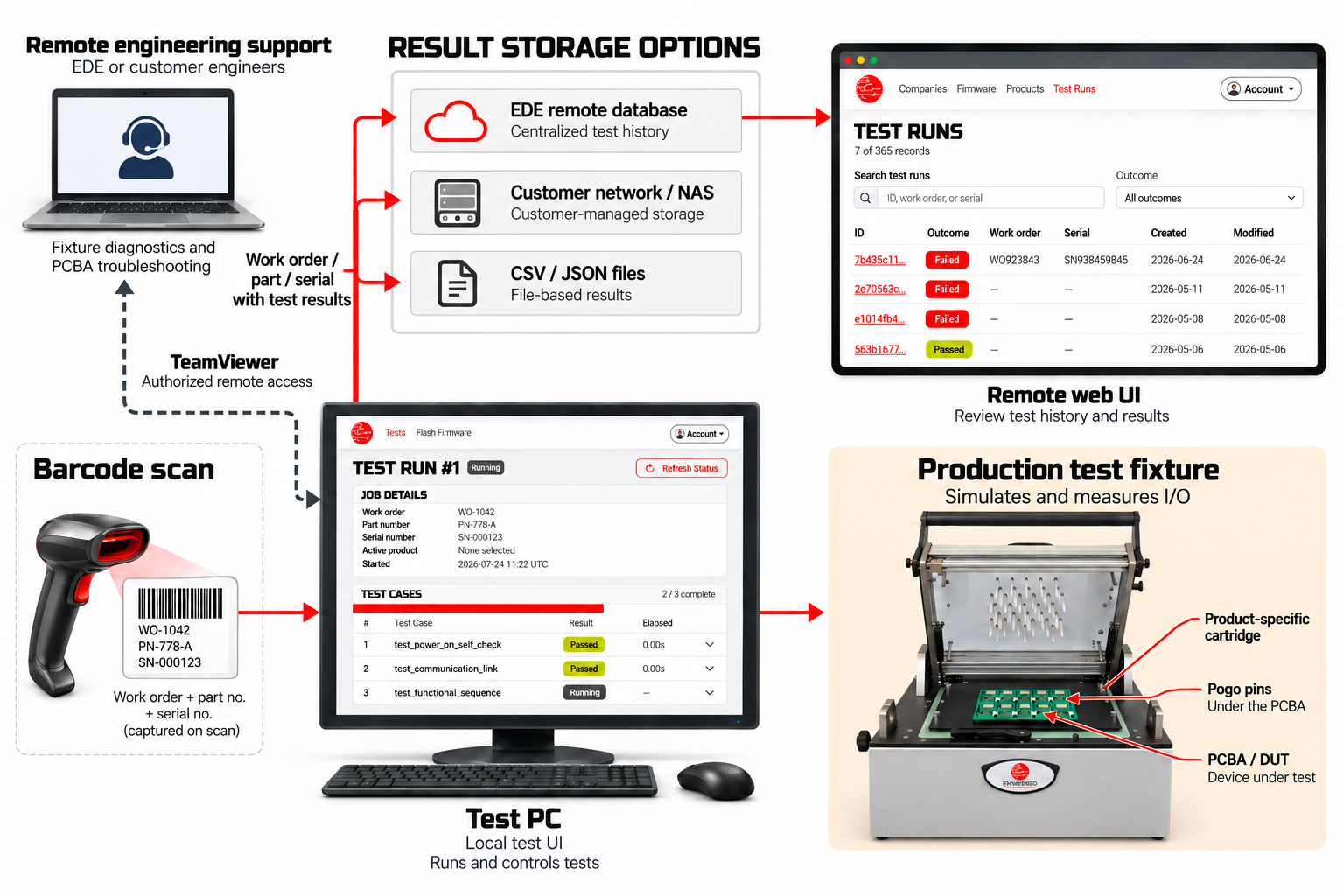
The EDE Functional Test System runs product-specific tests on printed circuit board assemblies (PCBAs), electronic modules, and finished products. It records results and supports remote engineering assistance.

The EDE Functional Test System runs product-specific tests on printed circuit board assemblies (PCBAs), electronic modules, and finished products. It records results and supports remote engineering assistance.
Production testing workflow
Fixture options
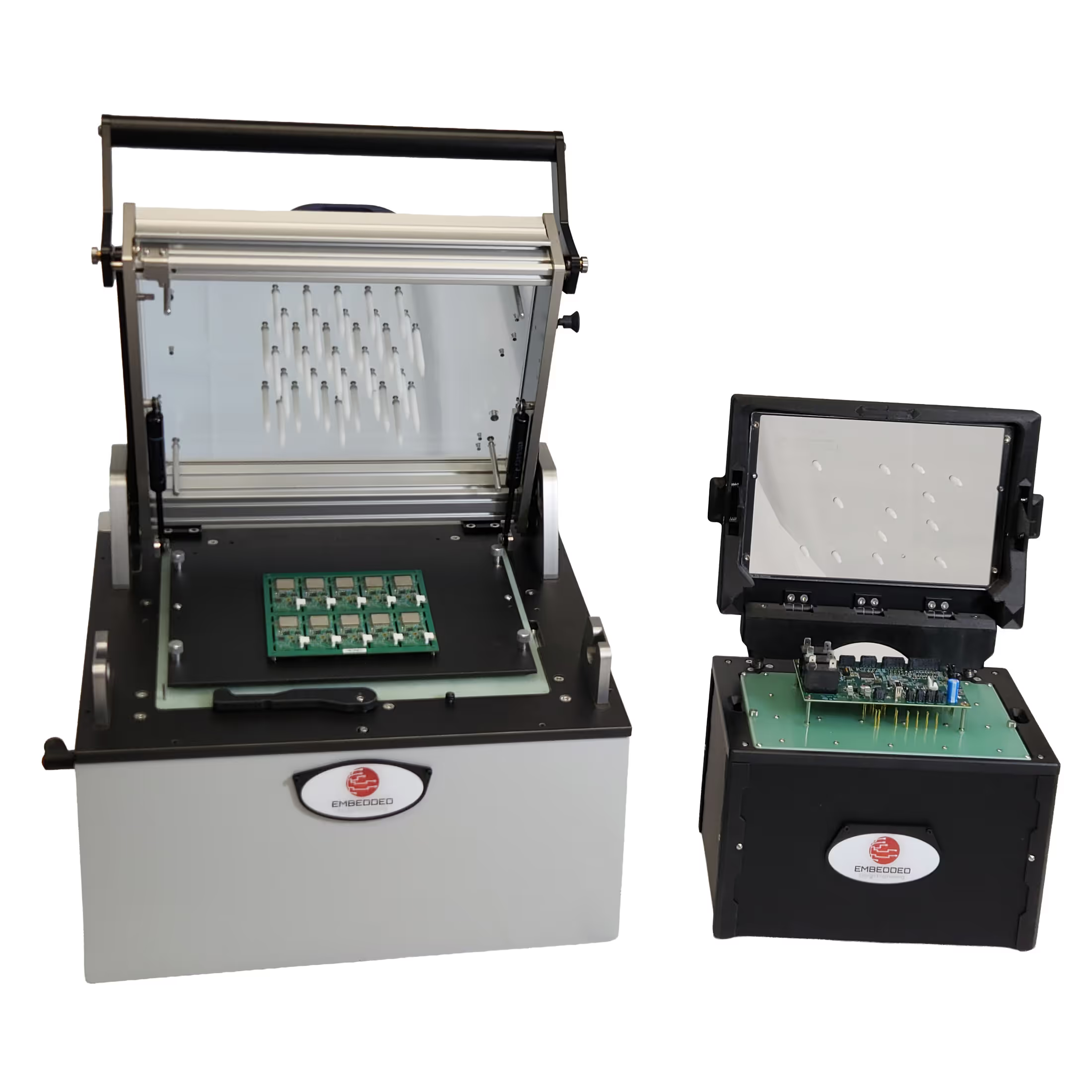
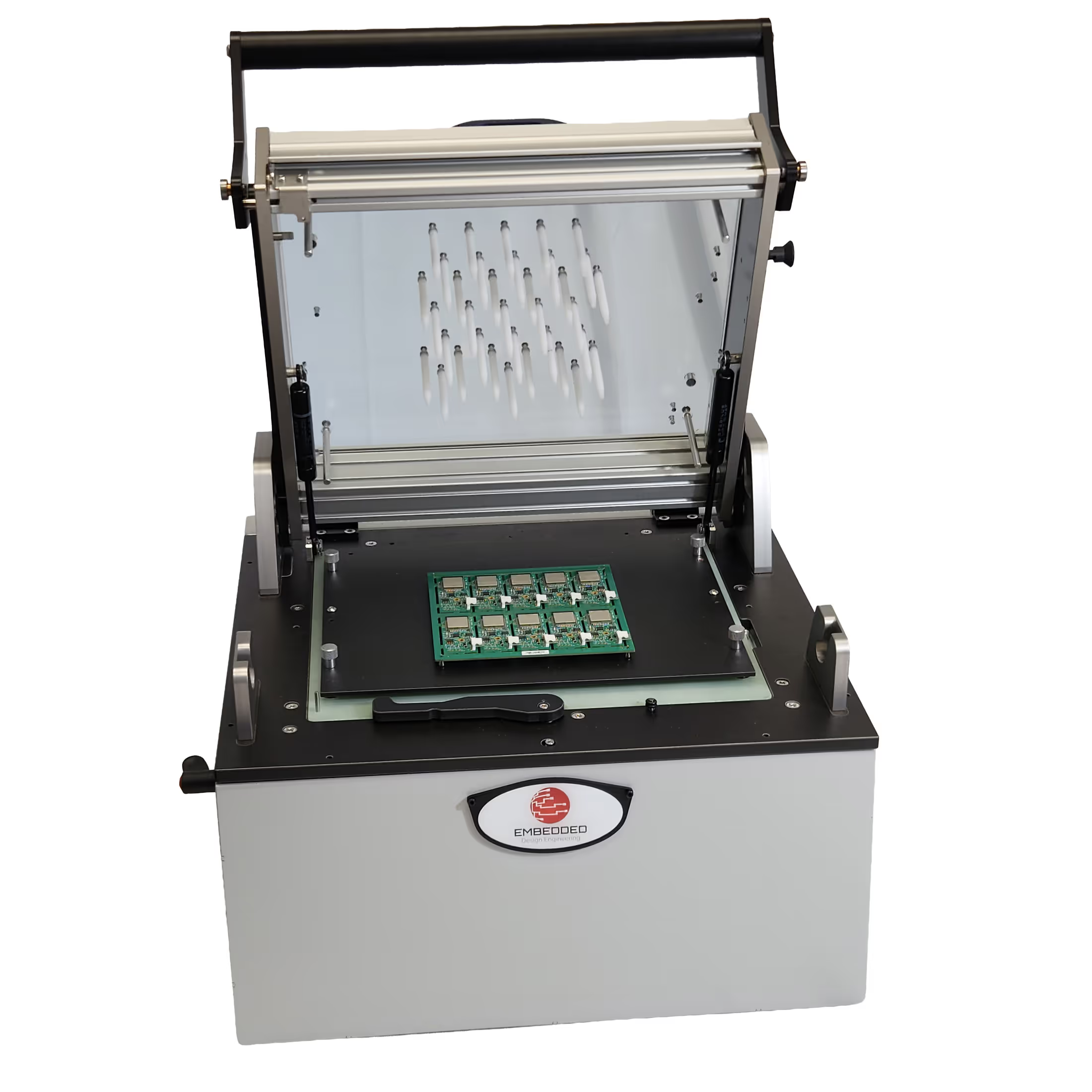
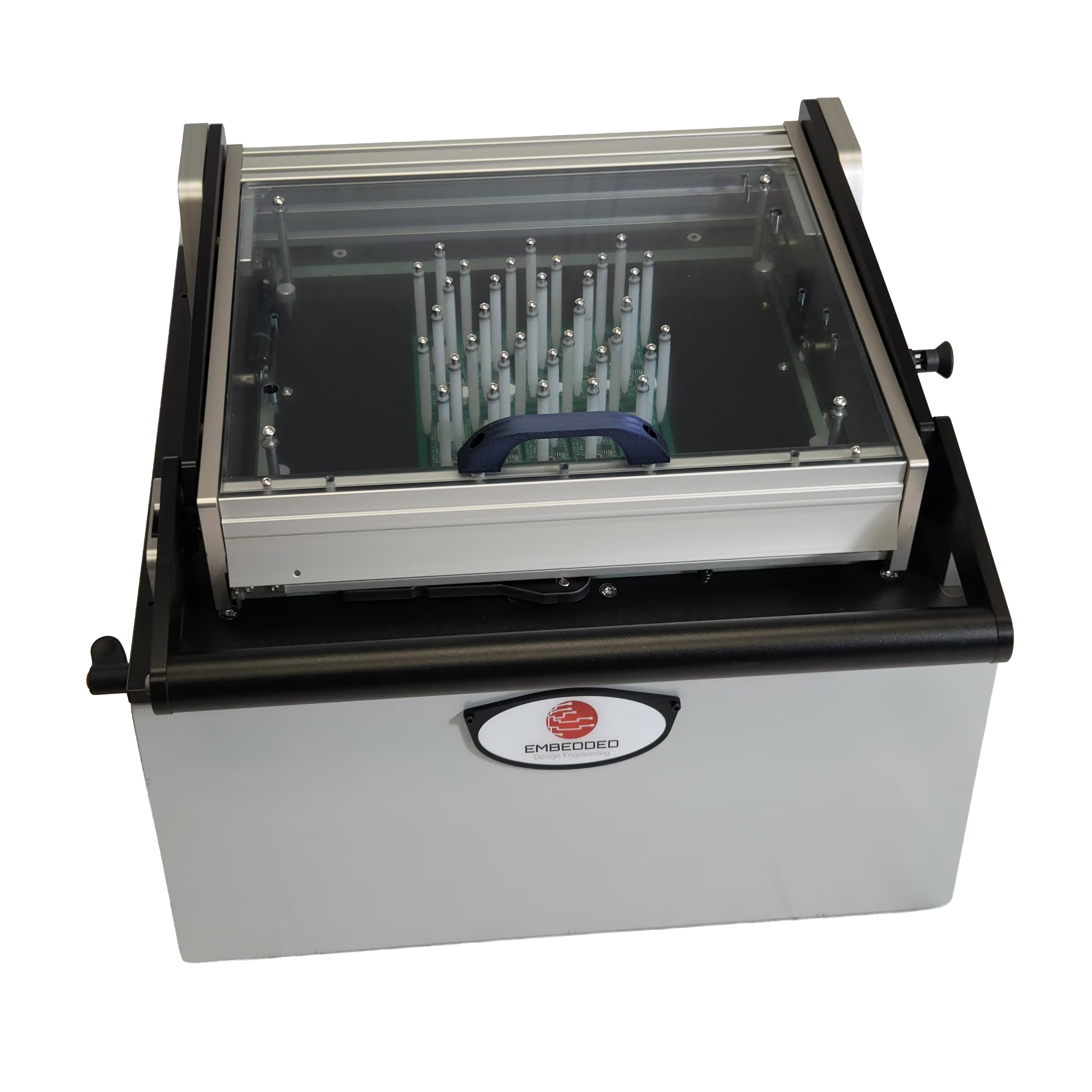
Benchtop or developer fixture: For engineering development and product verification, including board bring-up, firmware integration, troubleshooting, and regression testing.
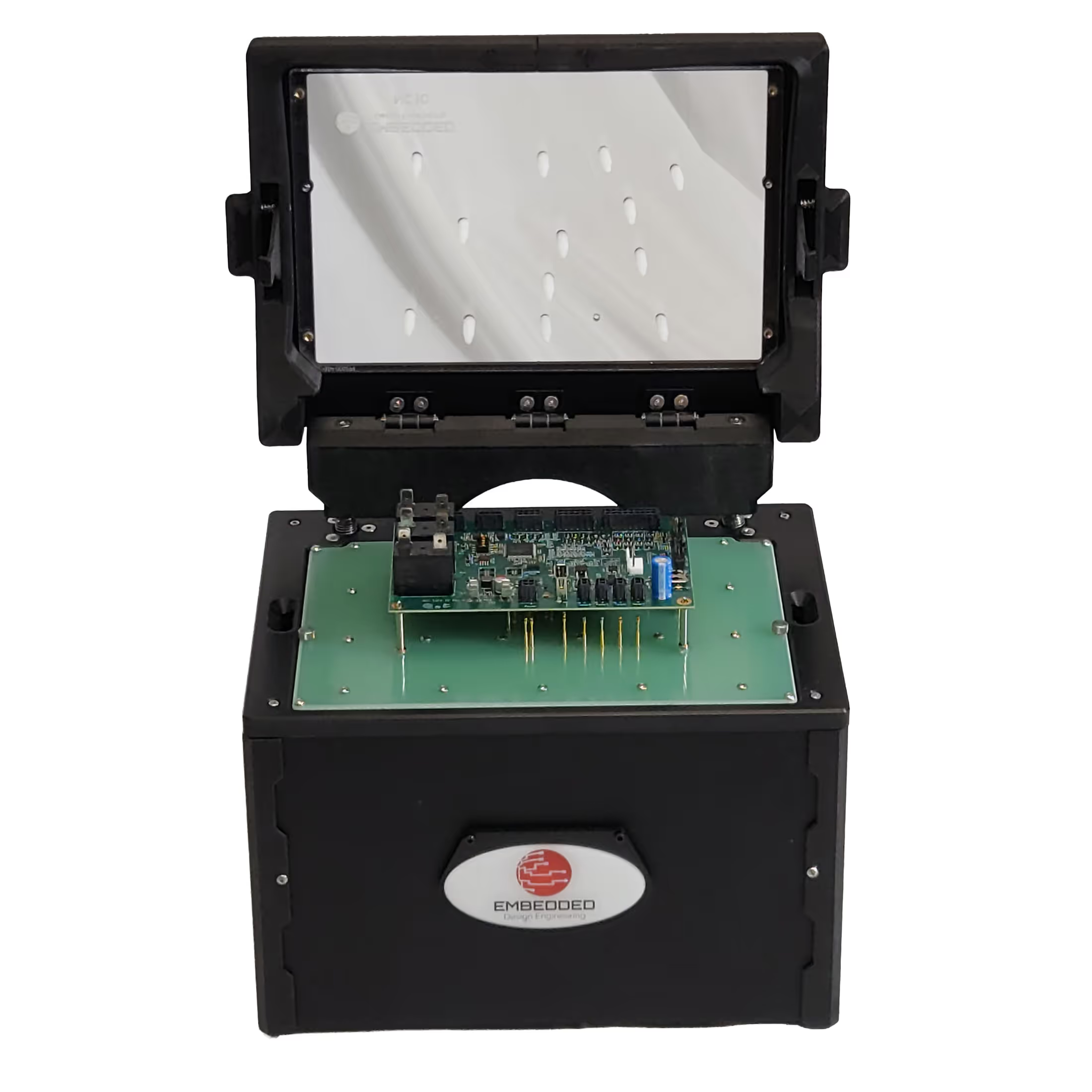
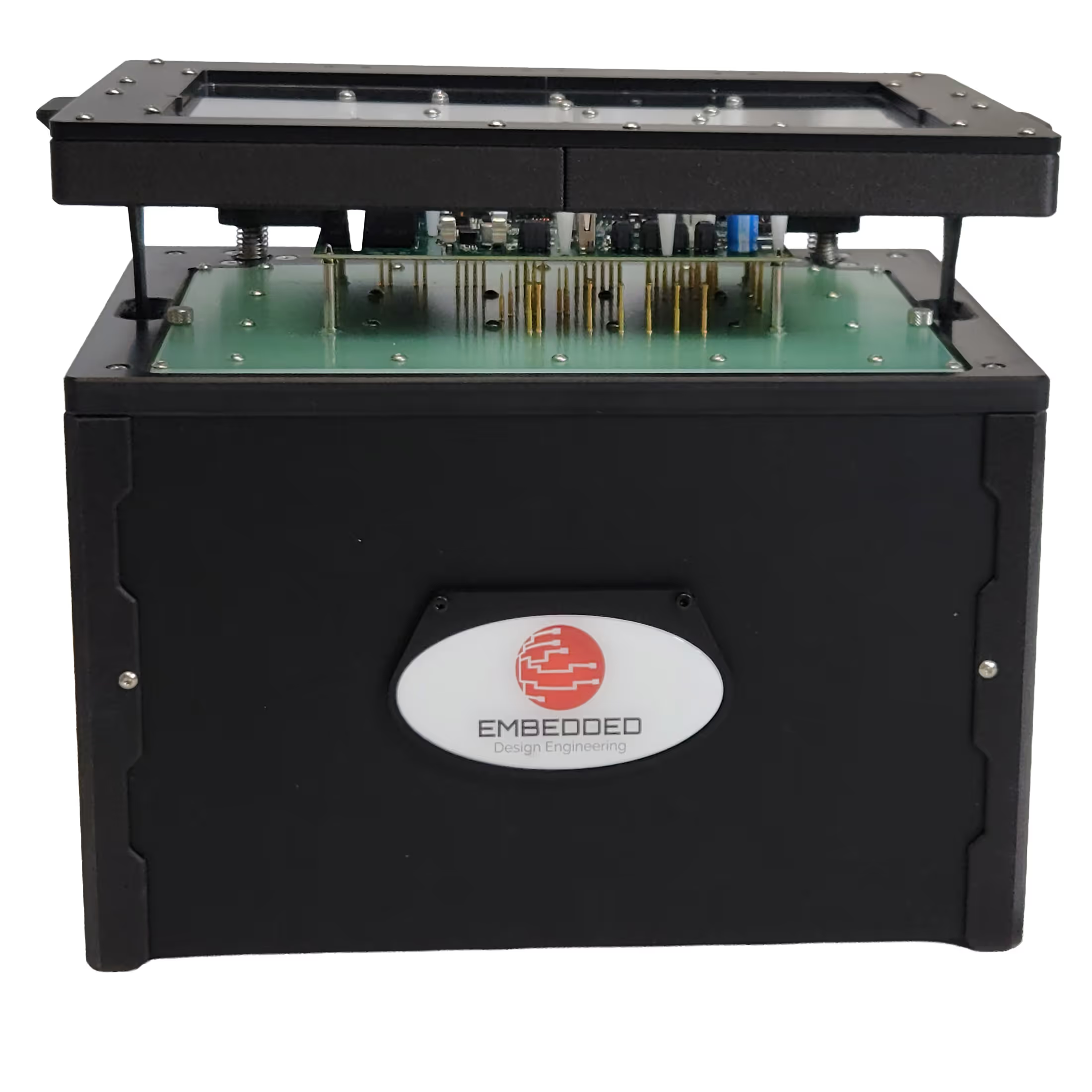
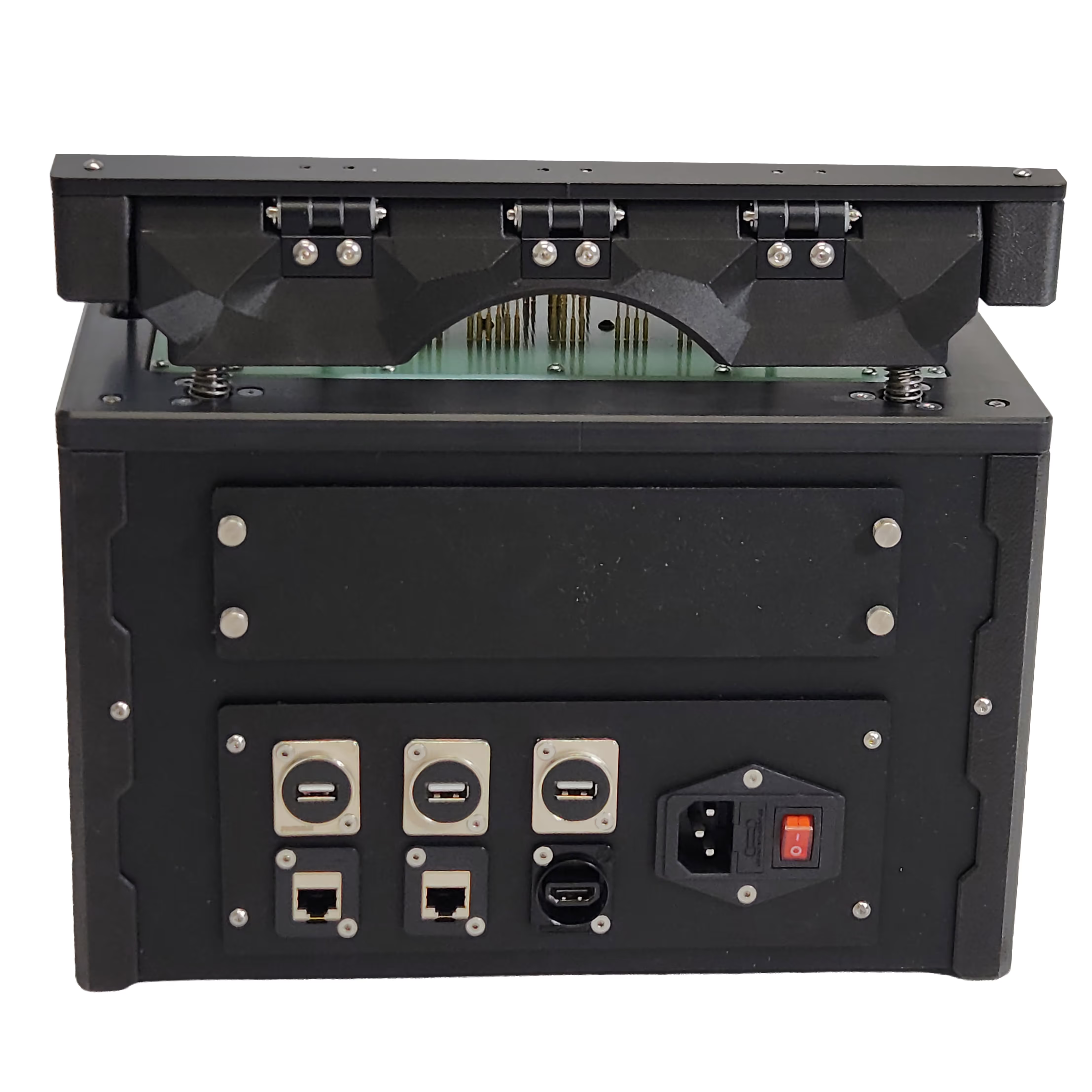
Production base and cartridge: A reusable tester base with a product-specific cartridge for production testing. Test point carrier board and pogo pins connect the fixture to the product.
Benchtop or developer fixture
For engineering development and product verification, including board bring-up, firmware integration, troubleshooting, and regression testing.
Production base and cartridge
A reusable tester base with a product-specific cartridge for production testing. Test point carrier board and pogo pins connect the fixture to the product.
Test operation and support
Product-specific tests
EDE configures the fixture and test sequence for each product. Depending on configuration, tests can exercise or measure analog and digital signals, control product power, check communications, measure responses, simulate faults, and program firmware.
Operator workflow
The local UI guides the operator through work order, part number, and serial number entry, then test execution. It displays progress and pass/fail results for the run and individual test steps.
Result storage and review
Results can be stored in EDE’s remote database, on customer-managed network storage (NAS), or as CSV or JSON files. Work orders, part numbers, and serial numbers identify the tested units. The remote web UI provides access to database test histories and test-step results.
Remote engineering support
Authorized EDE or customer engineers connect to the Test PC through TeamViewer to review logs, diagnose fixture issues, and help the on-site team troubleshoot PCBAs. Support can be provided by EDE, the customer’s engineering team, or both, at domestic or international facilities.
Future roadmap
Planned capabilities:
NIST-traceable calibration: Add NIST-traceable calibration for applicable test-system measurements.
Remote firmware delivery: Upload firmware through the remote web UI, then have the test system retrieve the latest uploaded firmware for the selected product.
Production testing workflow
Operator workflow
The local UI guides the operator through work order, part number, and serial number entry, then test execution. It displays progress and pass/fail results for the run and individual test steps.
Result storage and review
Results can be stored in EDE’s remote database, on customer-managed network storage (NAS), or as CSV or JSON files. Work orders, part numbers, and serial numbers identify the tested units. The remote web UI provides access to database test histories and test-step results.
Remote engineering support
Authorized EDE or customer engineers connect to the Test PC through TeamViewer to review logs, diagnose fixture issues, and help the on-site team troubleshoot PCBAs. Support can be provided by EDE, the customer’s engineering team, or both, at domestic or international facilities.
Future roadmap
Planned capabilities:
- NIST-traceable calibration: Add NIST-traceable calibration for applicable test-system measurements.
- Remote firmware delivery: Upload firmware through the remote web UI, then have the test system retrieve the latest uploaded firmware for the selected product.
CONNECTED FUNCTIONAL TESTING
One test platform. Consistent results across every production location.
EDE configures fixtures and automated test sequences for each product. Production testing uses a reusable tester base and product-specific cartridge. Benchtop or developer fixtures support engineering development and product verification.
Automated, repeatable tests
Program devices, stimulate inputs, measure outputs, verify communications, and run product-specific tests with clear operator guidance.
Test records and storage
Store results in EDE’s remote database, on customer-managed network storage (NAS), or as CSV or JSON files. Work orders, part numbers, and serial numbers identify tested units.
Remote technical support
Authorized EDE or customer engineers connect to the Test PC through TeamViewer to review logs, diagnose fixture issues, and help the on-site team troubleshoot PCBAs.
Functional Testing Gallery


Contact us
Office
Trusted By


